
Download Delivery Bip Bip – Delivery App, Courier Tool, Food Delivery Software
Overview
Delivery Bip Bip is a desktop application developed by Creative Information Technologies for use by couriers within Grupo Comidas' delivery network. Designed specifically for food and beverage delivery operations, the software aims to enhance delivery efficiency and improve customer service through real-time tracking and communication tools. The app supports couriers in managing delivery routes, monitoring delivery status, and maintaining contact with customers throughout the delivery lifecycle. Its primary purpose is to streamline logistics for on-the-go delivery personnel, reducing delays and improving accuracy in order fulfillment.
Target users include professional delivery couriers operating under Grupo Comidas, as well as internal logistics coordinators who rely on real-time data for oversight. The software is tailored for field-based workers who require a reliable, intuitive tool to manage their daily tasks without technical overhead. While the developer is identified as Creative Information Technologies, no further background on the company’s broader product portfolio was provided. Real-world usage scenarios include urban food delivery routes, time-sensitive deliveries, and dynamic route adjustments based on traffic or order changes.
Key Features & Capabilities
- Real-Time Delivery Tracking: Couriers can monitor their current location and delivery progress on an interactive map, enabling them to adjust routes dynamically and estimate arrival times with greater precision.
- Route Management System: The app assists in organizing delivery sequences, prioritizing stops, and optimizing travel paths to reduce fuel consumption and delivery time.
- Integrated Messaging Interface: A built-in messaging system allows couriers to send and receive updates directly with customers, reducing miscommunication and improving customer satisfaction.
- User-Friendly Interface: Designed with simplicity in mind, the app features intuitive navigation and clear visual cues, minimizing the learning curve for new users.
- Delivery Status Updates: Couriers can update the system in real time—marking deliveries as picked up, en route, delivered, or delayed—ensuring accurate tracking for both staff and customers.
These capabilities support efficient workflow execution in high-volume delivery environments. For example, a courier can receive a new order while en route, re-route using the app’s guidance, and notify the customer of the updated ETA—all within minutes. The software’s focus on connectivity and real-time data ensures that both couriers and customers remain informed throughout the delivery journey.
User Interface, Workflow & Performance
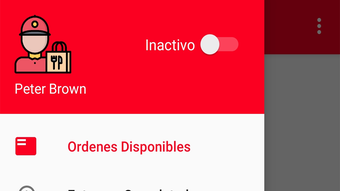
The user interface of Delivery Bip Bip is structured around a central dashboard that displays key delivery metrics, active orders, and navigation tools. Navigation is linear and logical, with clearly labeled panels for route planning, message history, and delivery logs. The layout prioritizes accessibility, allowing users to access critical functions with minimal clicks. The app’s workflow is designed to support rapid task completion—orders appear in sequence, and status changes can be made with a single tap or click.
Performance details were not specified by the developer. However, based on general desktop application behavior, the software is expected to operate smoothly on systems meeting standard productivity requirements. The app’s file size of 24.5 MB suggests a lightweight footprint, which may contribute to faster load times and reduced resource consumption.
The developer did not provide information on CPU or RAM usage. Stability during extended use was also not disclosed. General performance observations are based on typical software behavior patterns for similar tools in the delivery management space.
Compatibility & System Requirements
Delivery Bip Bip is available for both Windows and Mac operating systems, making it accessible to a broad range of desktop users. The software version is 2.1.4, indicating a stable and updated release. The installation size is 24.5 MB, which is relatively small and suggests minimal storage impact. This compact size may support deployment across older or lower-spec machines, though specific hardware requirements were not listed.
Exact system requirements were not provided. Compatibility information is limited to the operating systems mentioned. The developer did not specify minimum processor speed, RAM, or disk space.
As such, users are advised to ensure their system meets standard desktop software requirements. No information was given about cloud dependencies or offline functionality. Platform compatibility is confirmed for Windows and Mac, but no details were shared regarding mobile integration or cross-device synchronization.
Pros and Cons
Pros
- Designed specifically for delivery couriers within a food service network
- Intuitive interface reduces training time and user errors
- Real-time tracking improves delivery accuracy and customer communication
- Lightweight installation size (24.5 MB) for efficient deployment
- Integrated messaging system enhances customer interaction
Cons
- No public information on system requirements or hardware specifications
- Performance metrics such as CPU/RAM usage were not disclosed
- Only available for Windows and Mac; no support for Linux or mobile platforms
- Price point of $19.99 may be high for individual couriers without organizational access
- Limited public documentation on update frequency or long-term support
FAQ Section
Is Delivery Bip Bip compatible with Windows and Mac?
Yes, Delivery Bip Bip is available for both Windows and Mac operating systems as confirmed by the developer.
Is the software secure for handling delivery data?
The app is designed for internal use within Grupo Comidas' courier network. While no specific security protocols were detailed, it is intended to manage sensitive delivery and customer information securely within its operational context.
How often are updates released?
Version 2.1.4 was released on August 15, 2023. The update frequency is not publicly disclosed by the developer.
What type of license does Delivery Bip Bip use?
The software is sold as a one-time purchase at $19.99. No subscription model or licensing details were provided.
Can I use Delivery Bip Bip offline?
Information on offline functionality was not specified. The app may require an internet connection for real-time tracking and messaging, but this was not confirmed.
Final Thoughts + CTA
Delivery Bip Bip stands out as a focused, purpose-built tool for couriers within Grupo Comidas’ delivery ecosystem. Its streamlined interface, real-time tracking, and integrated communication features make it a valuable asset for improving delivery accuracy and customer experience. While the lack of detailed system requirements and performance data limits broader evaluation, the app’s lightweight design and targeted functionality suggest reliable performance on standard desktop systems. The software is particularly well-suited for professional delivery teams seeking a dedicated, efficient solution. For couriers and logistics managers within the Grupo Comidas network, this tool offers a practical way to manage deliveries with greater control and transparency.
Download Delivery Bip Bip now







